Reyee Router vs Mesh Reyee WiFi: Which Is Better for Your Home?
January 30, 2026
Reyee Switch Explained: Managed vs Unmanaged for Small Offices
February 9, 2026Fast WiFi is great, but secure WiFi is essential. A poorly secured Reyee router can lead to slow speeds, unknown devices on your network, and privacy risks for your family. The good news is you don’t need to be an IT expert to lock things down. With a few smart settings and simple habits, you can make your Reyee WiFi network much safer.

Below is a practical guide to securing your Reyee router and protecting your Reyee WiFi from unwanted access.
1. Start With The Basics: Change The Admin Login
Every Reyee router has an admin panel (the place where you change settings). If the admin password is still the default, that’s a significant risk. First step: change it to a strong password that isn’t used anywhere else.
A strong admin password should be:
- Long (12+ characters is a good target)
- A mix of letters, numbers, and symbols
- Not based on your name, phone number, or address
Tip: If your router supports it, enable two-factor authentication for the admin account. It adds a second layer of protection.
2. Use A Strong WiFi Password And Modern Security
Next, secure the actual Reyee WiFi connection. Set a strong WiFi password and use the most secure encryption available (often WPA2 or WPA3). Avoid outdated modes like WEP.
Good password habits:
- Use a passphrase that’s hard to guess (not “12345678” or “homewifi”)
- Don’t reuse passwords from social media or email accounts
- Change it if you’ve shared it with too many people over time
If you’re worried about remembering it, store it in a password manager or write it down and keep it in a private place.
3. Create A Guest Network (Seriously, Do This)
If friends, relatives, or visitors connect to your WiFi, a guest network is your best friend. A guest network keeps them separate from your main devices, such as laptops, phones, smart TVs, and home cameras.
Set up guest Reyee WiFi when:
- You host people often
- Your kids’ friends come over
- You don’t want visitors seeing shared devices on your network
Bonus: You can change the guest password at any time without disrupting your devices.
4. Update Firmware And Don’t Ignore Security Patches
Firmware updates on a Reyee router aren’t just for new features. They often patch security weaknesses. If your router supports auto-updates, enable them. If not, set a reminder to check monthly.
A simple routine:
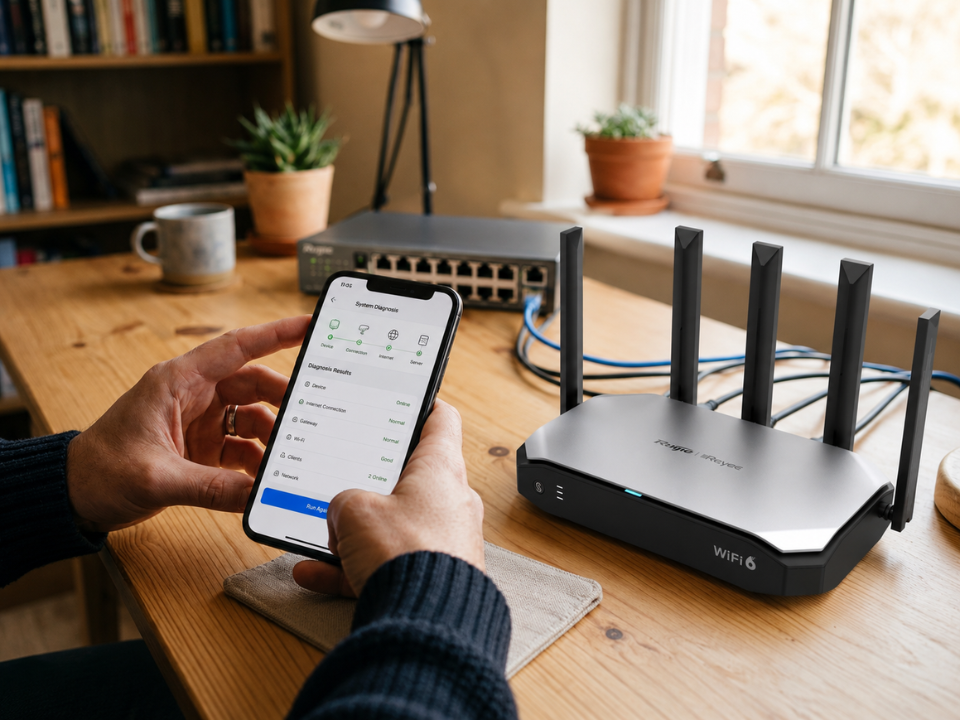
- Check the router app or admin panel for updates
- Update during a low-usage time (late night works well)
- Reboot the router after updating
Keeping firmware up to date is one of the easiest ways to keep your Reyee WiFi secure.
5. Turn Off Risky Features You Don’t Need
Many routers come with convenient extra features, but they can increase the risk if left open.
Consider disabling:
- Remote management (unless you truly need it)
- WPS (WiFi Protected Setup), which can be abused in some cases
- UPnP, if you don’t use gaming consoles or smart devices that require it
If you’re not sure, a good rule is: if you don’t use it, turn it off. A tighter Reyee router setup is a safer setup.
6. Kick Off Unknown Devices And Monitor Your Network
Most router dashboards let you view connected devices. Make it a habit to check once in a while. If you see a device you don’t recognize:
- Disconnect/block it from your router
- Change your WiFi password
- Consider changing the WiFi name too (so old devices don’t reconnect automatically)
This is also a great way to catch neighbors “borrowing” WiFi or old devices you forgot were still connected.
7. Add Basic Protection For Kids And Smart Home Devices
If your Reyee router supports parental controls, use them. Even simple filters and schedules can help. Also, keep smart home devices (cameras, plugs, speakers) updated, because they can be easier targets than phones or laptops.
If possible, place smart devices on the guest Reyee WiFi or on a separate network segment so they don’t share the same network as your personal devices.
Why Consider Uwave For Your Reyee Networking And Support?
If you want peace of mind beyond basic settings, consider Uwave. We are a commercial WiFi router importer and distributor in Malaysia, carrying Reyee products as part of our wider networking lineup. How that adds value to you is that you can get the right Reyee router or Reyee WiFi setup for your home with proper guidance, not guesswork.
We also conduct hands-on workshops and training sessions that help you learn how to use features such as guest WiFi, access controls, and improved network management. If you’re upgrading or securing your network, Uwave is a practical choice for reliable local support and networking know-how.