How to Secure Your Reyee Router and Reyee WiFi Network
February 3, 2026
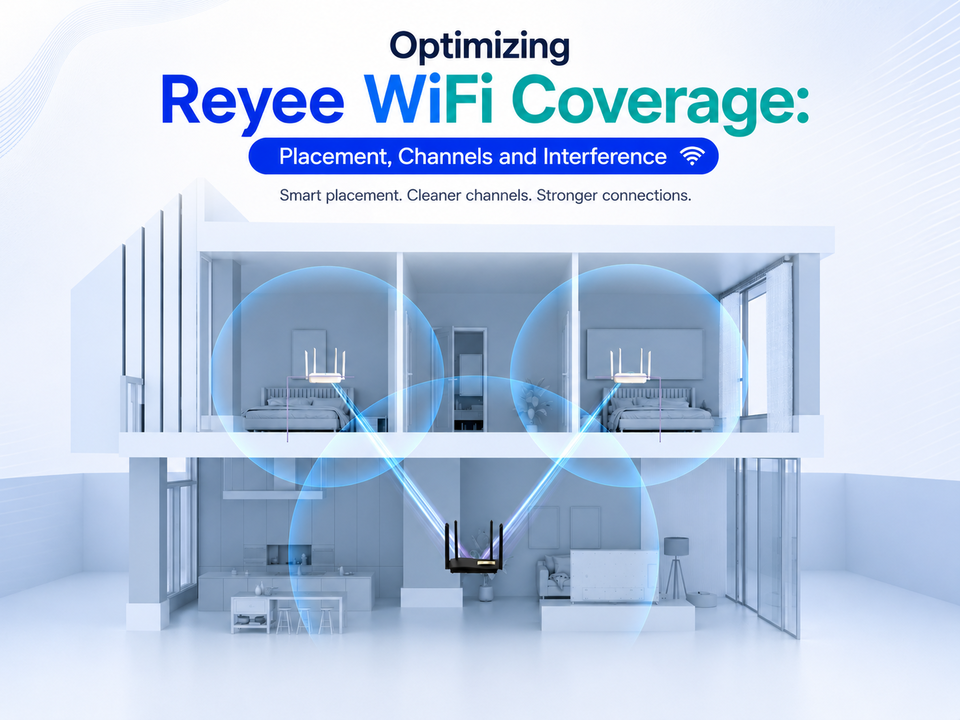
Optimizing Reyee WiFi Coverage: Placement, Channels and Interference
March 2, 2026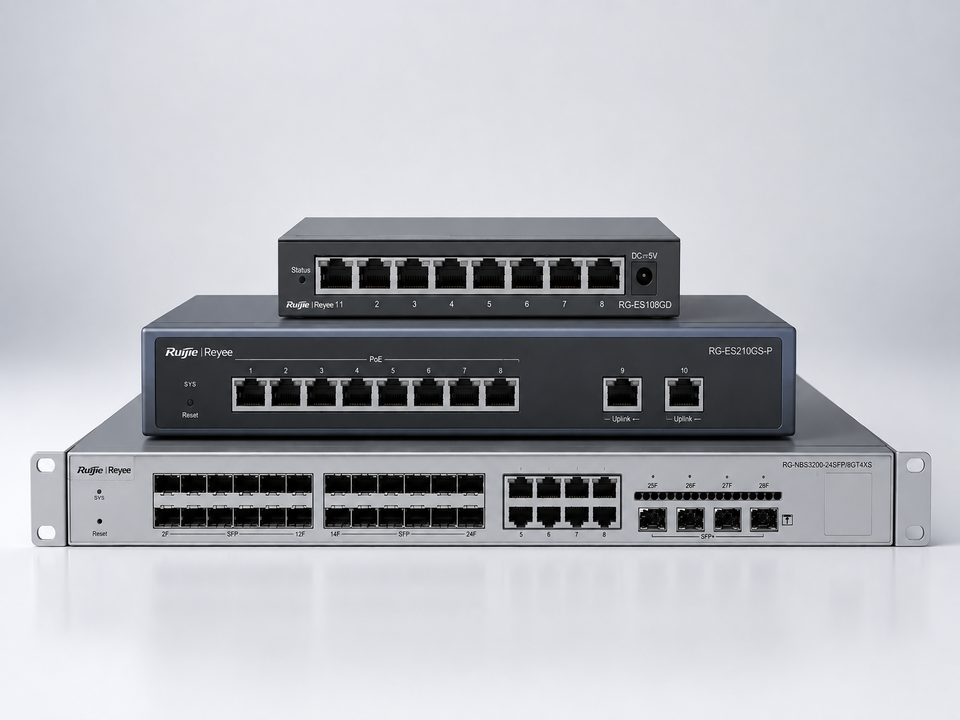
In a small office, the WiFi usually gets all the attention. But the real workhorse is the network switch, quietly sitting in the corner, connecting PCs, printers, access points, IP phones, and CCTV cameras. Pick the wrong one, and you’ll feel it later: messy cabling, random slowdowns, and “why is the camera offline again?” moments.
So what should you choose for your office, a Reyee switch that is unmanaged or managed? Let’s break it down in plain language.
First, What A Network Switch Actually Does
Think of a Reyee switch as the office’s wired “meeting point.” Every device plugged into it can talk to the others and reach the router/internet. Even if you rely on WiFi, your access points still need a solid wired backbone. And the switch is that backbone.
Unmanaged Reyee Switch: Plug In And Go
An unmanaged network switch is the simplest option. You plug in your network cables, power it on, and it works. No dashboards to learn, no complicated settings, minimal chance of misconfiguration.
An unmanaged Reyee switch is a great fit when:
- You have a small team (say 3–10 people)
- You just need more LAN ports for PCs, printers, and one or two access points
- Your network doesn’t need special rules (like separating departments)
- You want the most straightforward setup possible
What’s interesting is that some entry-level options are still “cloud visible,” meaning you can at least see the device through a management app even though it’s unmanaged. That’s useful when you want basic visibility without full configuration controls.
Managed Reyee Switch: Control, Protection, And Cleaner Networks
A managed network switch gives you control. Instead of one big flat network, you can organize traffic, improve stability, and add security rules that actually matter in offices.
A managed Reyee switch is better when:
- You run multiple access points and want smoother performance
- You have VoIP phones and need call quality (QoS) to stay consistent
- You’re using CCTV and want cameras separated from office devices
- You need VLANs (virtual networks), so staff, guests, and cameras aren’t all mixed together
- You want easier troubleshooting when something goes down
Some managed models are “smart cloud managed,” which is especially handy for small offices without an in-house IT person. You get management through a web interface or cloud/app tools, rather than babysitting everything on-site.
PoE: The Feature That Saves You Time (And Power Sockets)
Whether you choose managed or unmanaged, pay attention to PoE (Power over Ethernet). A PoE network switch can power devices such as WiFi access points and IP cameras using the same network cable that carries data. That means:
- Fewer wall adapters and extension cords
- Cleaner installs
- Easier placement of cameras and access points
For offices adding CCTV or multiple access points, a PoE Reyee switch is often the practical upgrade that simplifies everything.
Real-world Office Examples
Office A: Small Studio (6 People)
Needs: 4 PCs, 1 printer, 1 WiFi access point.
Best choice: an unmanaged Reyee switch (simple, affordable, does the job).
Office B: Growing Agency (18 People)
Needs: multiple access points, VoIP phones, CCTV, guest WiFi.
Best choice: a managed PoE Reyee switch so you can separate networks (VLANs), keep calls clear (QoS), and manage cameras without affecting office traffic.
Office C: Clinic Or Retail Space
Needs: stable POS connection + CCTV that must not go offline.
Best choice: a managed Reyee switch with features that improve continuity and monitoring, especially if you want fewer surprises during business hours.
Quick Decision Checklist
Choose an unmanaged Reyee switch if you want:
- Fast deployment
- Basic connectivity
- Minimal setup and maintenance
Choose a managed Reyee switch if you want:
- VLANs and better security separation
- Performance tuning (QoS)
- Easier troubleshooting and monitoring
- A network that can grow without becoming a tangled mess
Why Choose Uwave For Your Reyee Switch?
If you’re setting up an office network, considering us at Uwave is worthwhile, as we are a leading Reyee distributor in Malaysia, covering key Reyee product lines, including switches, routers, wireless networks (WiFi), and home products. We also offer the Ruijie Cloud ecosystem for Reyee, which supports the complete lifecycle: pre-sales support, including solution design, product specs, and success cases; faster deployment through self-organizing networks and automatic configuration; and post-sales tools, such as remote operation and maintenance, smart alarms, and one-click network monitoring.
On top of that, here at Uwave, we run hands-on workshops, which is a big plus if you want your team or installer to get the setup right the first time. If your goal is a stable small-office network with the right Reyee switch and not just any switch, Uwave is a strong place to start.